 Back
Back
 Menu
Menu


Zedwell Underground
Hotel Park Lane
Zedwell Underground Hotel
Park Lane
Stay where timeless luxury meets serenity beneath the heart of Mayfair
Park Lane Hotel London
Located on London’s iconic Park Lane, Zedwell Underground Hotel Park Lane places you moments from Hyde Park, designer boutiques, and world-class dining.
This is your perfect base to relax in style while staying effortlessly connected to the pulse of the Mayfair.

11 min walk from
Hyde Park Corner underground.

Underground hotel

Windowless by design

Free high-speed Wi-Fi

Welcome area

Luggage storage

Your cosy
cocoon
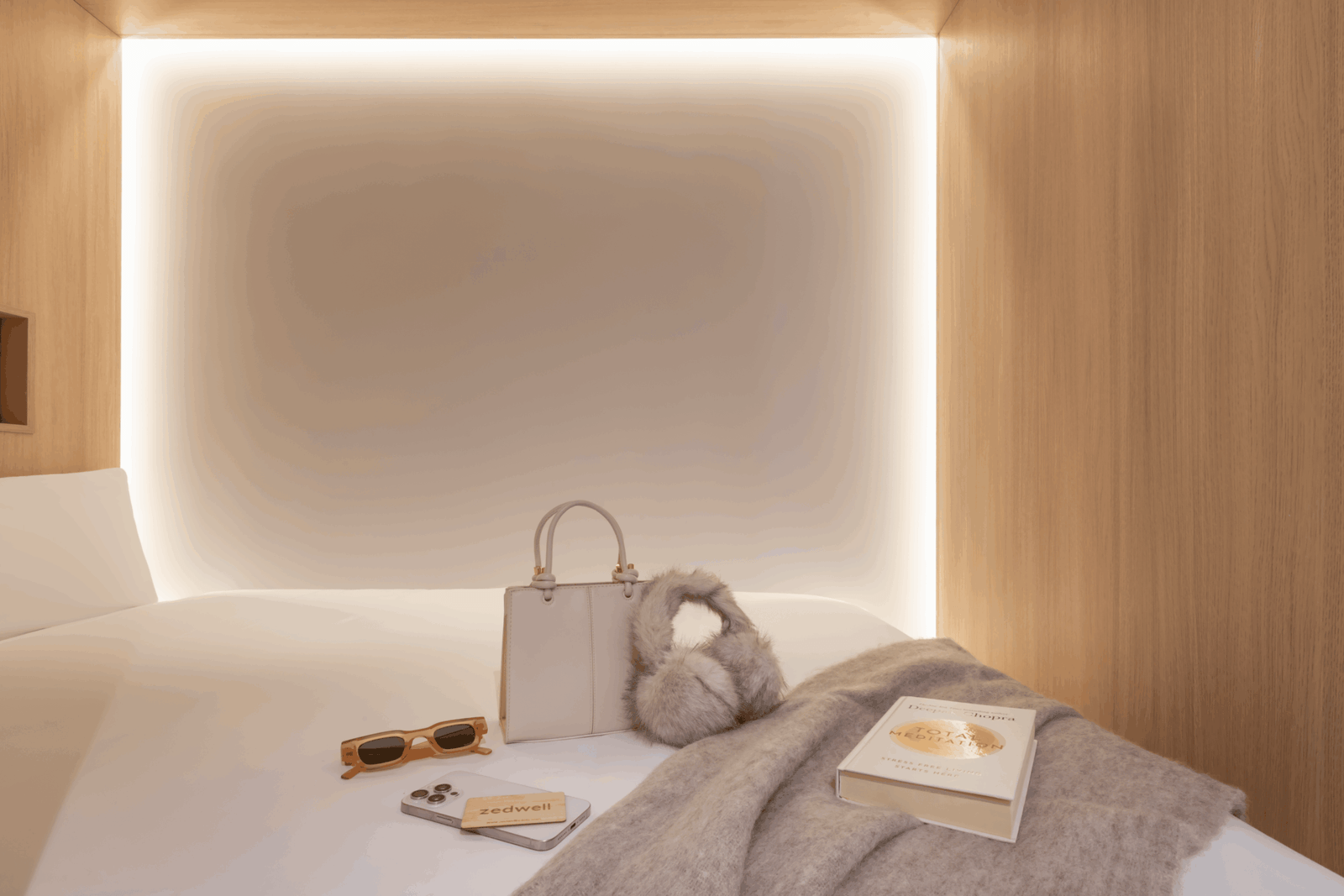
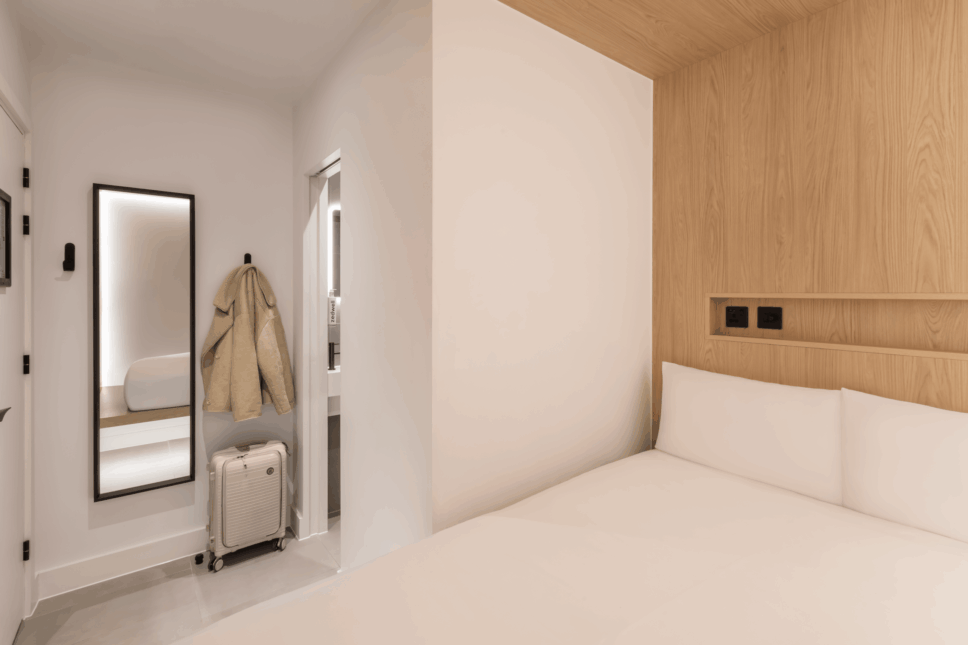
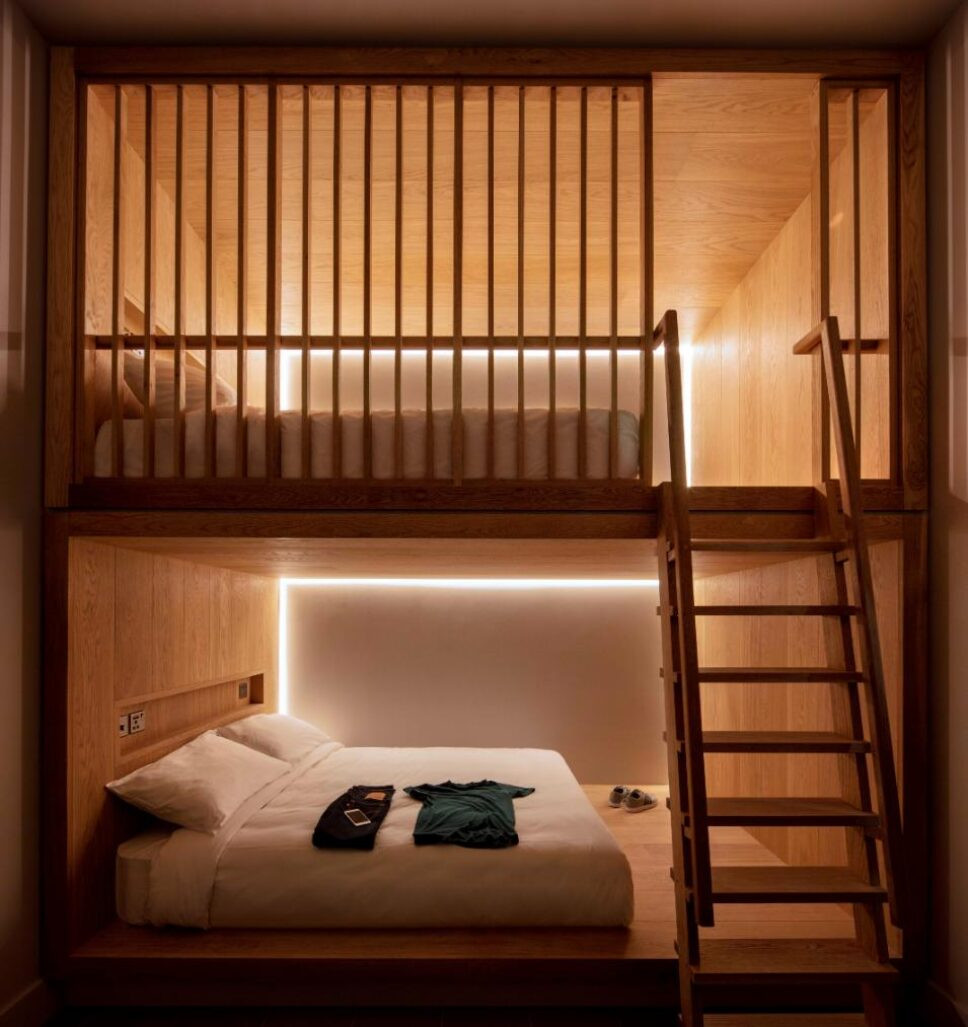
Designed with modern aesthetics it sets the stage for a relaxing sleep, cocooned away from the city’s hustle and bustle.
Step into your en-suite bathroom and stand underneath the revitalizing rain shower to wash away the city’s buzz. At Zedwell Underground Hotel Park Lane, cocoon rooms can sleep up to 4.
Cocoon 2

7 sqm

Sleeps up to 2
Windowless by design

Zedwell signature cocoon

Quiet rooms

No TVs or other distractions
Free high-speed Wi-Fi

Filtered air

Gentle lighting

Rainfall shower
Find us
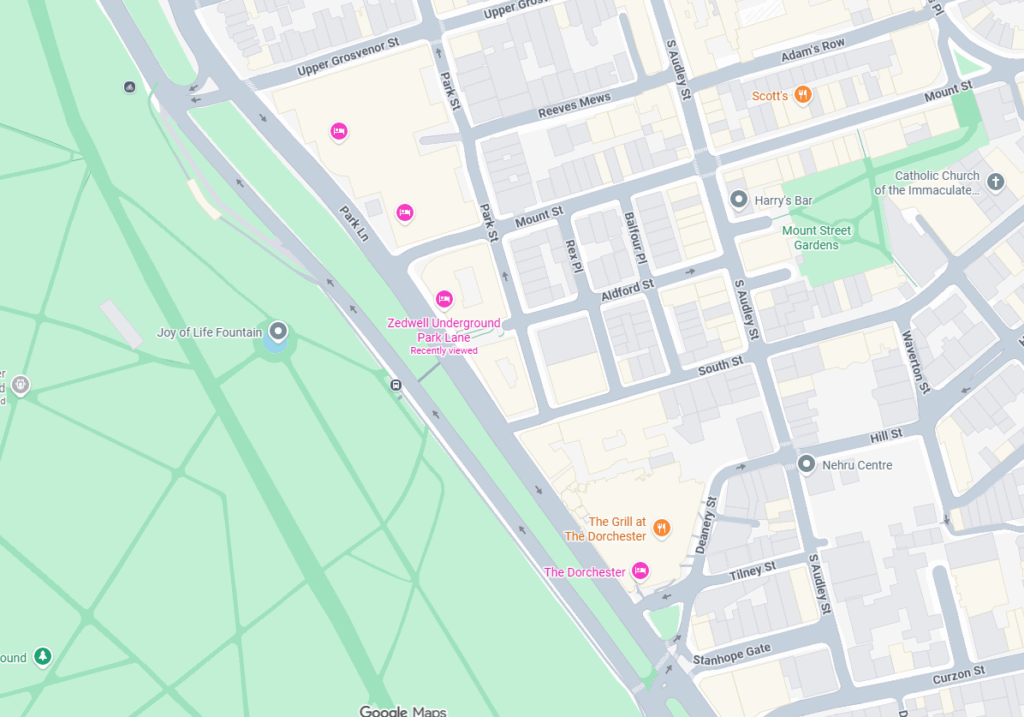
Zedwell Underground Hotel Park Lane
77 park lane, London, W1K 7TP
Closest Underground Stations
- Marble Arch – 7 min walk
Distance from Airports
- Heathrow Airport – Approx 48-57 mins
- Gatwick Airport – Approx 55-75 mins
- City Airport – Approx 50-60 mins
For the most accurate and up-to-date information, please check via your preferred online map provider or the Transport for London website.
Building STORY
A new calm beneath Park Lane
Few would imagine that beneath one of London’s most elegant avenues lies a haven of pure stillness.
At Zedwell Underground Hotel Park Lane, we’ve reimagined the space below this world-famous address, where the serenity of Hyde Park meets the sophistication of Mayfair into a sanctuary for rest and renewal.
Once a hidden undercroft of the city, this space has been transformed into a cocoon of calm. Purposefully windowless and soundproofed, every inch is designed to quiet the senses, slow the mind, and restore your rhythm.
Above, the city moves with its familiar energy, luxury boutiques, leafy walks, and timeless landmarks. Below, an entirely different London awaits. Step down and step away from it all. Here, beneath Park Lane, you can pause, reset, and simply breathe.

Stay With Us
Zedwell Underground Hotel Park Lane FAQs
How do I get to Park Lane?

We’re just a 5-minute walk from Marble Arch Underground Station, served by the Central Line.
You can also reach us easily from Bond Street (Elizabeth Line) or Hyde Park Corner (Piccadilly Line).
For guests arriving from Heathrow, the Elizabeth Line connects directly to Bond Street in around 30 minutes.
What Tube line is closest?
The Central Line at Marble Arch is the closest Underground connection, giving you quick links to Oxford Circus, Bank, and Liverpool Street.
You can also reach us from the Piccadilly Line via Hyde Park Corner, or the Elizabeth Line at Bond Street for fast access across the city.
What Zone is the area in?
Zedwell Underground Hotel Park Lane is in Zone 1, the very center of London. You’ll be surrounded by world-class shopping, dining, and landmarks, all within walking distance or just a few stops away.
What makes this property unique?
Zedwell Underground Hotel Park Lane is London’s newest underground hotel, a peaceful world hidden beneath one of its most prestigious streets.
Designed with Zedwell’s signature windowless cocoons, it offers complete quiet and calm, just steps from Mayfair, Hyde Park and Oxford Street.
Are there restaurants or cafés nearby?
Absolutely. Step outside and you’ll find Mayfair’s elegant cafés, Hyde Park’s garden restaurants, and Oxford Street’s cosmopolitan dining spots all within a short stroll.
Whether it’s a relaxed brunch or fine dining, everything is just minutes from your cocoon.
Is Park Lane a safe area for tourists?
Yes, Park Lane is one of London’s safest and most prestigious areas, home to luxury hotels, embassies, and iconic landmarks. You can enjoy peaceful walks by Hyde Park, with central London convenience and calm reassurance.
What’s it like staying underground?
It’s unlike anywhere else in London. Our underground hotel is naturally designed without windows and built for silence, our cocoons remove distractions and help you truly rest. Step down from Park Lane’s energy and discover your calm below the city.
Wallet-based digital keys FAQ’s
General questions
A Wallet key allows you to store your digital room key so you can unlock doors using your phone or a compatible smartwatch.
If your device is compatible with Wallet keys, you will see an Add to Wallet button at the end of your online check-in.
Option 1 – Hotel with reception & NO Kiosk Don’t worry, you can always check in at the front desk when you arrive at the hotel. If needed, you can also ask for assistance. Option 2 – Hotel with reception & Kiosk Don’t worry, you can always check in at the front desk when you arrive at the hotel, either in person or at our check-in kiosk. If needed, you can also ask for assistance. Option 3 – Hotel with staff-less arrival Don’t worry, you can always contact the [name] at [phone] or [email] for assistance.
Yes, you can use both.
If you book multiple rooms on the same date, the Wallet key only activates for the room you are assigned to. If you book a room on multiple dates, a different Wallet key activates for each stay. Each key is only active for your current stay after you complete your online check-in.
If you book multiple rooms on the same date, the Wallet key only activates for the room you are assigned to. If you book a room on multiple dates, a different Wallet key activates for each stay. Each key is only active for your current stay after you complete your online check-in.
Google specific questions
If your Android phone is misplaced or lost, you should use the Find My Device app to remotely delete/wipe a lost device. Learn more in the help article Find, secure, or erase a lost Android device – Google Account Help.
- Android: Android 9 or higher, with NFC turned on.
- Google Wallet: The latest version of Google Wallet app is recommended.
Apple-specific questions
You can add your room key to Apple Wallet and access [define what spaces you can unlock] with only your iPhone and Apple Watch.
- Android: Android 9 or higher, with NFC turned on.
- Google Wallet: The latest version of Google Wallet app is recommended.
Option 1 – If using automatic check in (You can add a room key to Apple Wallet after you book a reservation. After completing the online check-in, click on the Wallet icon to add your key. The room key automatically activates at check-in time on your day of arrival. To use your room key, hold your iPhone or Apple Watch near the door lock.) Option 2 – If not using automatic check in (You can add a room key to your Apple Wallet after you book a reservation. After completing the online check-in, click on the Wallet icon to add your key. The room key automatically activates once you check in and your room is assigned. To use your room key, hold your iPhone or Apple Watch near the door lock)
: Yes. You select which room you’re staying in during your online check-in and your room key is activated for that room.
In addition to your room, you can use your room key to access the same hotel spaces where you would use a physical key, such as the [elevator, main/night entrance, fitness center, common areas, etc]. *Room key-enabled access to other areas may differ by hotel location.
When your room key is added to Apple Wallet on your iPhone and Apple Watch, it’s stored on your device, which means Apple doesn’t see the spaces you access or when. Your data is private and secure.
- An iPhone or Apple Watch running the latest version of iOS or WatchOS
- An Apple Account signed into iCloud
With Express Mode, you don’t need to wake or unlock your iPhone or Apple Watch to use your room key in Apple Wallet. By default, Express Mode is turned on. For more details, see the help article https://support.apple.com/en-us/HT212171 .
Power Reserve provides up to five hours of access after your iPhone battery needs charging. This feature is only available on iPhone XS, iPhone XS Max, and iPhone XR or newer. For more details, you can review the article on express cards with power reserve.
When you add a room key to Apple Wallet on your iPhone, the room key automatically adds to the Apple Wallet on your paired Apple Watch. Once added, you can hold your Apple Watch near the reader.
You can use your room key on one iPhone and one Apple Watch. You need to be signed into the same iCloud account and Apple account on both.
Use the “Find My” app or iCloud.com to suspend, deactivate or reactivate your device in Apple Wallet. You can review the instructions for Lost/Found Apple devices and Find My iPhone.
Try the basic troubleshooting steps below:
- Update to the latest version of iOS or watchOS.
- Confirm that you have Face ID, Touch ID, or a passcode set on your device.
- Check that your Apple Account is signed into iCloud with two-factor authentication turned on.
- Check whether Apple T&C’s are accepted in your settings when logging into iCloud.
If you’re still unable to add your room key, contact the [name] at [phone] or [email].
There are currently a select number of hotels that can support the new room key capabilities. Other properties are adding support for room keys in Apple Wallet soon.
If you’re no longer using a device, you can remove its Wallet passes directly on the device or online. Once removed, you can add your passes to a new iPhone or Apple Watch.
You can remove a pass from your old device in two ways:
- On your iPhone: Open the Wallet app and select the pass you want to remove. Select the More button in the upper-right corner, scroll down, and select Remove Pass.
- Online (if you no longer have access to the device): Go to http://account.apple.com and sign in. Select Devices from the sidebar, choose your device, and click Remove items
After removal, you can add your passes to your new device.

We’re Proud to Be ECOsmart Silver Accredited
Our commitment to sustainability has been recognized with the ECOsmart Silver Award.
This achievement reflects our ongoing efforts to reduce environmental impact, promote
responsible practices, and deliver greener experiences for our guests.